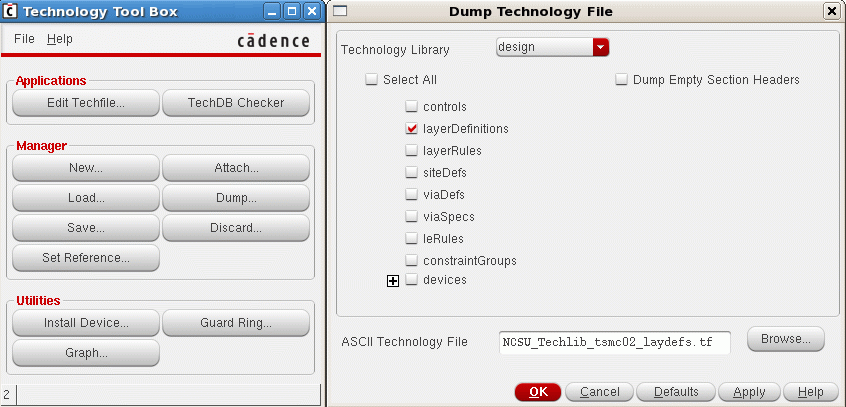
Then locate the current "display.drf" file in the virtuoso run directory. It coIf not found then please take a look at the technology directory, which should contain the original version of the display.drf file. The display.drf file contains color and layer visibility and style defintions, fill pattern and line style information. As third item we need a copy of the OpenAccess stream layer map file. It should reside in the technology library and is usually called "streamin.layermap". It will contain a mapping between OA layer/OA purpose to GDSII layer number and GDSII datatype. Here is an exmaple:
# -------------     ---------------------       -----------
# Layer Name        Layer purpose               GDSII layer
# -------------     ---------------------       -----------
nwell               drawing                     41  0
nwell               drawing                     42  0
active              drawing                     43  0
nactive             drawing                     103 0
pactive             drawing                     113 0
tactive             drawing                     60  0
poly                drawing                     46  0
sblock              drawing                     29  0
nselect             drawing                     45  0
pselect             drawing                     44  0
cc                  drawing                     25  0
cp                  drawing                     47  0
ca                  drawing                     48  0
metal1              drawing                     49  0
metal1              pin                         81  0
metal1              boundary                    49  5
via                 drawing                     50  0
via                 boundary                    50  5
metal2              drawing                     51  0
metal2              pin                         82  0
metal2              boundary                    51  0
...
prBoundary          drawing                     100 0
instance            drawing                     101
Then please move your_tech.tf, display.drf and streamin.layermap into your destination folder.